Interactive Map View
Visualize your entire mesh network on an interactive map with real-time updates, color-coded status indicators, and multiple map layer options including street, satellite, and terrain views.
Whether you're managing a small community network or a large-scale deployment, Meshtastic Node Map gives you the insights and tools you need to optimize performance, troubleshoot issues, and understand your network like never before.
Visualize your entire mesh network on an interactive map with real-time updates, color-coded status indicators, and multiple map layer options including street, satellite, and terrain views.
See actual radio connections between nodes with signal quality indicators, hop depth filtering, and bidirectional link detection. Understand your network topology at a glance.
Six real-time metric cards and seven interactive charts provide instant insights into network health, activity patterns, and performance trends with auto-refresh capabilities.
Quickly find specific nodes by name or ID with powerful search and filter capabilities. Browse all nodes with sortable columns and detailed information at a glance.
Access comprehensive details about any node including hardware model, firmware version, GPS coordinates, battery level, signal strength, and complete telemetry data.
Visualize how nodes connect with interactive topology graphs featuring force-directed, circular, and hierarchical layouts. Identify network bottlenecks and isolated nodes.
Track all MQTT messages flowing through your network in real-time with live message streams, filtering by type, payload inspection, and connection status monitoring.
View LoRa-specific settings including channel configuration, spreading factor, bandwidth, coding rate, frequency settings, and air time utilization metrics.
Plan optimal node placement with elevation profiles, Fresnel zone calculations, and terrain obstruction detection using integrated elevation data APIs.
Compare signal quality across multiple gateways with side-by-side analysis, scatter plots, difference histograms, and timeline charts showing reception patterns.
Advanced filtering and grouping of all message types with packet grouping by ID, time range filters, node and gateway pickers, and export capabilities for external analysis.
Choose between light, dark, and auto modes with system preference detection, theme-aware maps and charts, and smooth transitions without flicker.
Responsive layout for all screen sizes with touch-optimized controls, bottom sheet navigation, Progressive Web App support, and offline mode for field operations.
Add custom links for quick access to external resources, organize by category with custom icons and labels, and open in new tabs or same window.
Personalize your experience with display preferences, theme selection, map default views, notification settings, data refresh intervals, and export format defaults.
Export in multiple formats (CSV, JSON, KML, GeoJSON), scheduled automated exports, configurable retention policies, and backup and restore functionality.
Manage multiple mesh networks from one interface, switch between networks seamlessly, compare network performance, and view cross-network analytics.
User authentication and authorization, role-based access control, API key management, secure session handling, and rate limiting for production deployments.
WebSocket-based live updates with instant node status changes, real-time message notifications, live telemetry streaming, and connection status monitoring.
Understand message routing with hop-by-hop path visualization, hop count color coding, signal quality indicators, and path efficiency scoring.
Accurate distance measurements using Haversine formula, distance display on RF links, longest links analysis, and multi-hop distance calculation for routing paths.
Configurable retention policies per data type, automatic cleanup scheduler, batch deletion operations, manual cleanup triggers, and disk space monitoring.
Identify coverage gaps, optimize node placement, and plan network expansion by visualizing your current mesh topology and signal propagation patterns with line of sight analysis.
Track responder locations in real-time during emergencies. Coordinate teams, monitor network health, and ensure communication reliability when it matters most with mobile-optimized interface.
Monitor mesh network coverage at festivals, conferences, or large gatherings. Track participant nodes and ensure reliable communication across event venues with real-time analytics.
Visualize neighborhood mesh networks, track community participation, and demonstrate network growth to encourage adoption and engagement with comprehensive dashboards.
Analyze mesh network behavior, test routing algorithms, and study network dynamics with detailed visualization, packet analysis, and data export capabilities.
Track hiking groups, monitor trail coverage, and ensure safety with real-time location tracking, offline mode, and GPS integration for outdoor enthusiasts.
Provide internet access to remote areas with long-range link analysis, elevation profiles for optimal antenna placement, and signal quality monitoring for reliable service.
Daily monitoring with dashboard metrics, MQTT monitor for live message streams, automatic alerts for issues, and comprehensive network health tracking for operators.
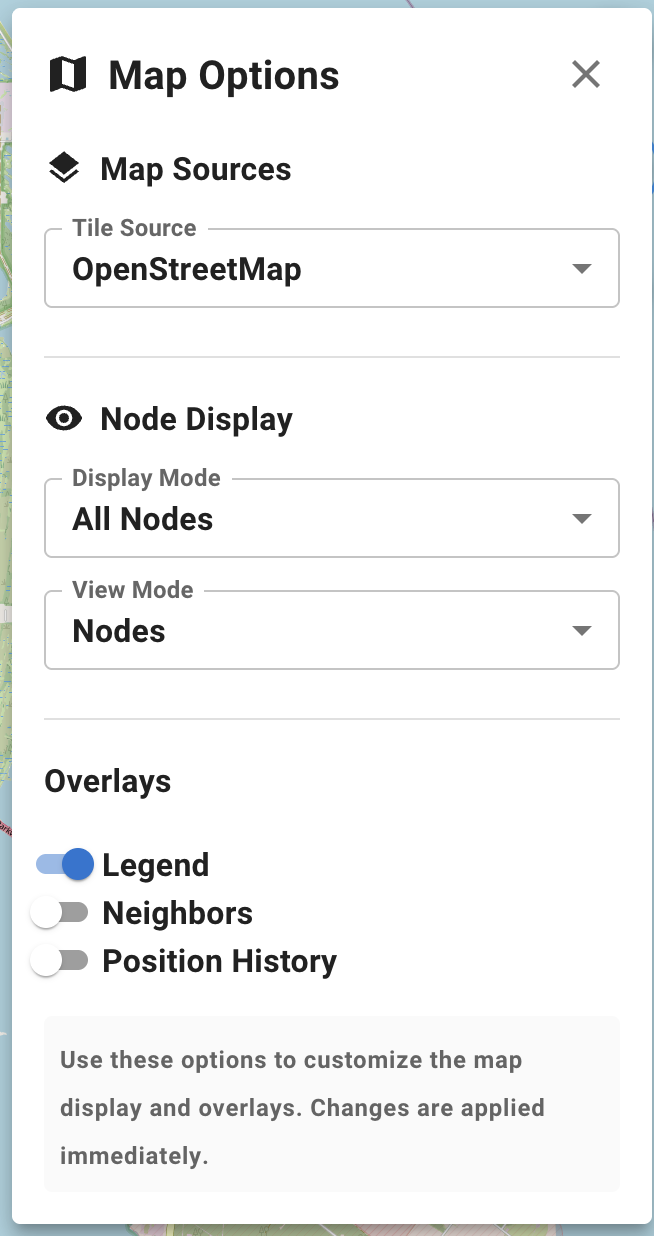
Real-time visualization of your mesh network with multiple map layers, node clustering, and customizable display options. Pan, zoom, and explore your network with smooth interactions.
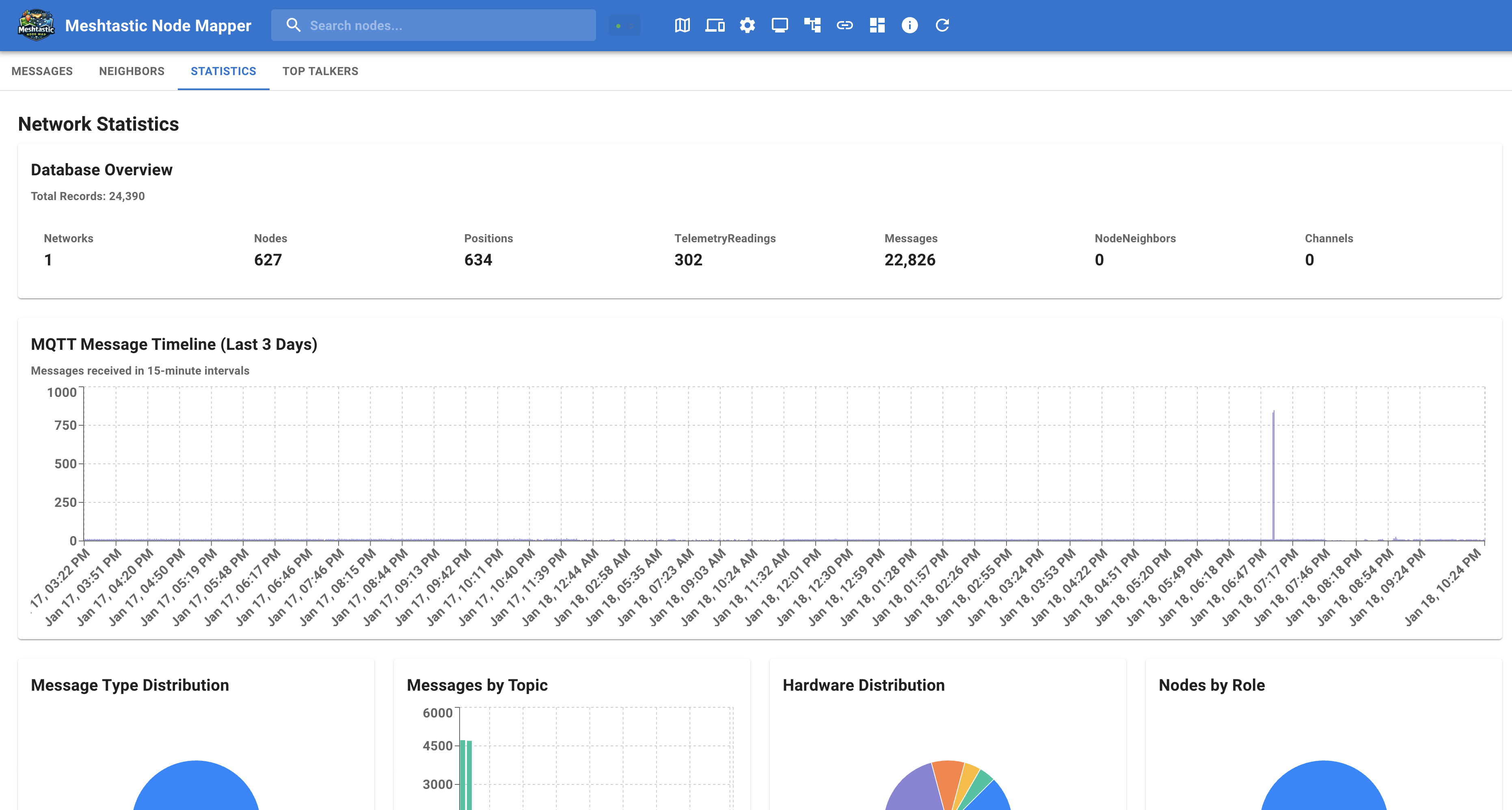
Comprehensive network metrics at a glance with real-time charts showing activity trends, node distribution, gateway performance, and signal quality across your entire network.
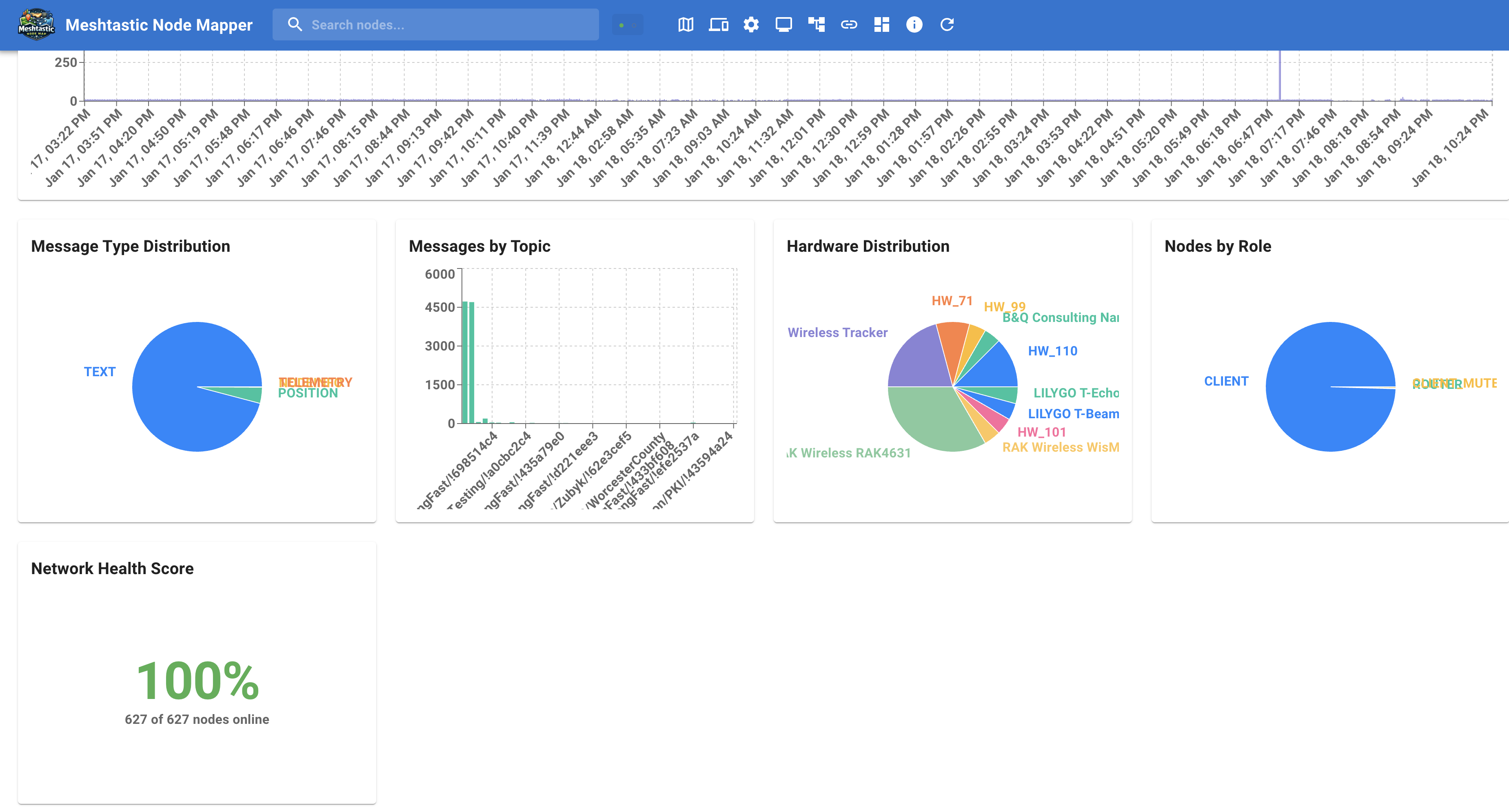
Deep dive into network performance with detailed charts for message routing patterns, protocol usage, and historical trend analysis to optimize your mesh network.
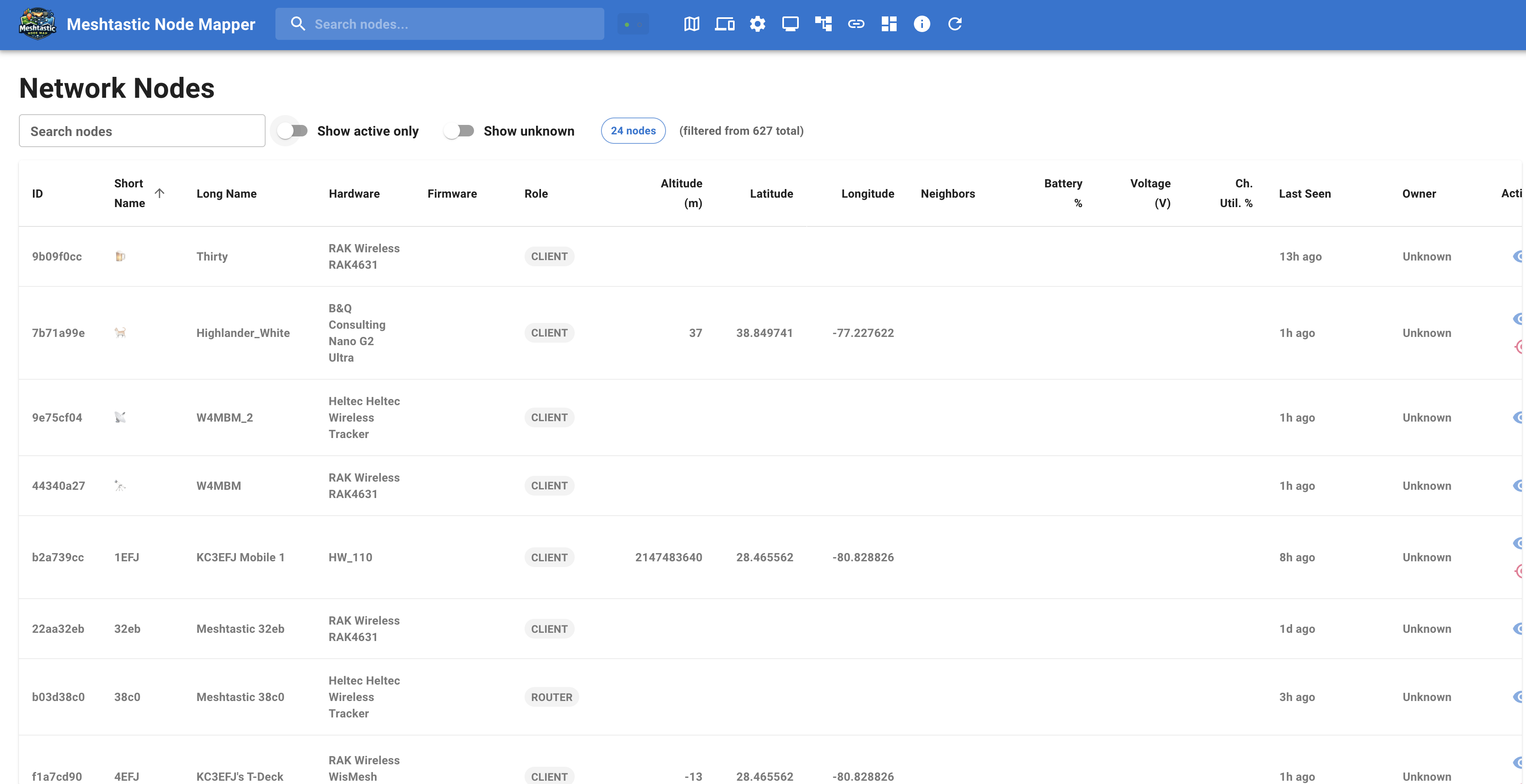
Browse all nodes with sortable columns, powerful search and filter capabilities, and quick access to detailed information. Manage your entire network from one convenient interface.
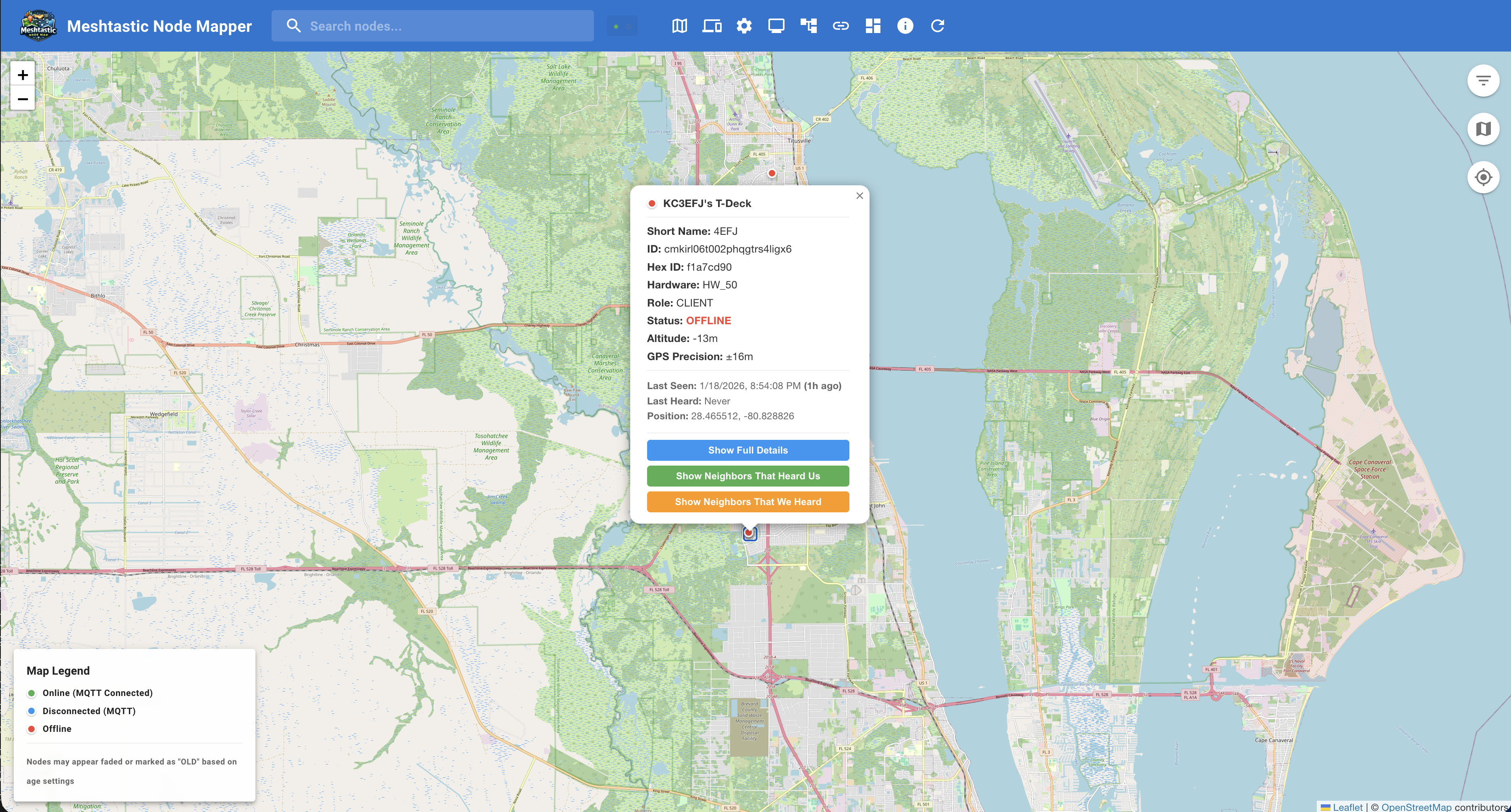
Access comprehensive information about any node including hardware specs, GPS location, battery status, signal strength, and real-time telemetry data for complete visibility.
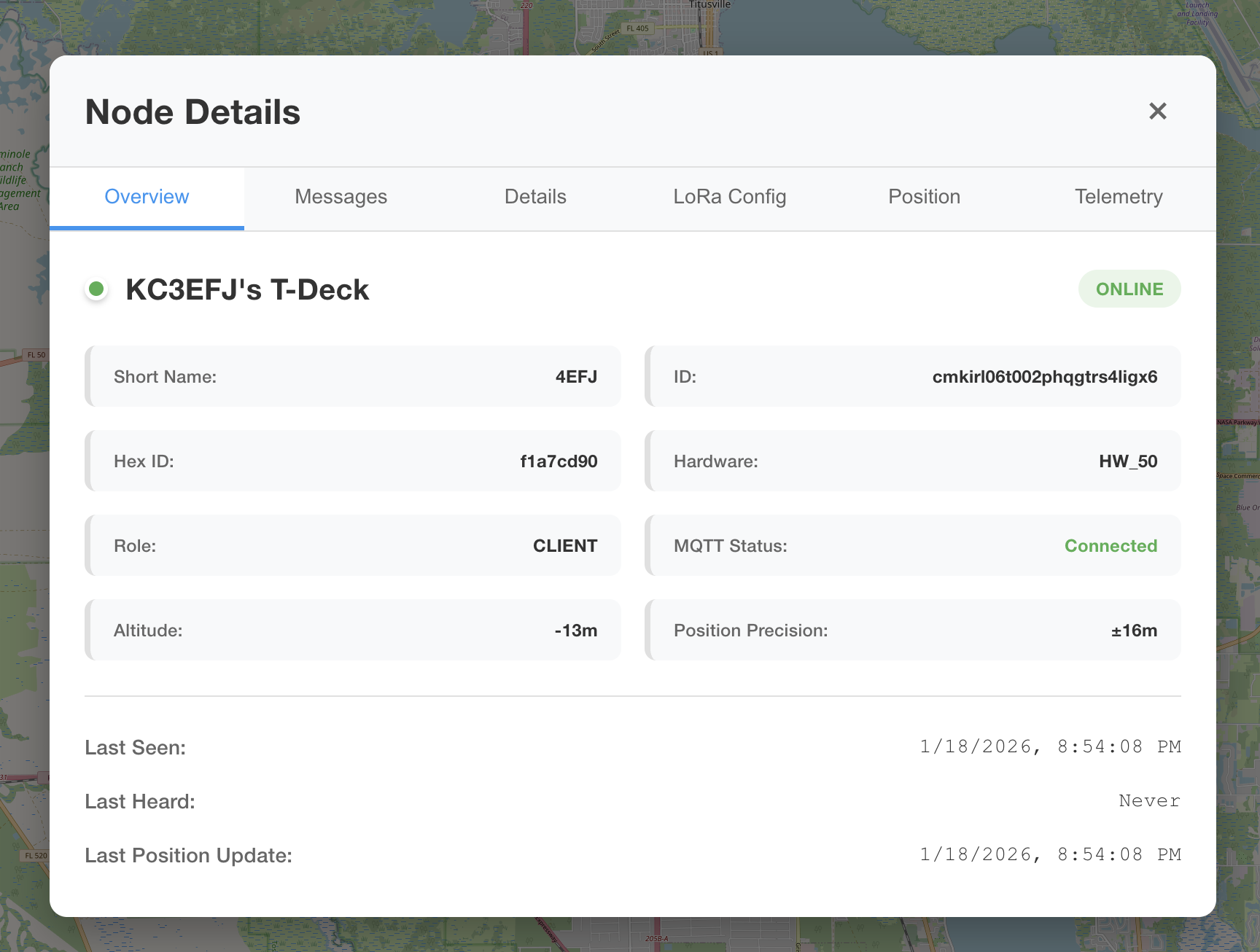
View detailed metrics including environmental sensors, position history, message logs, and neighbor connections to understand each node's role in your network.
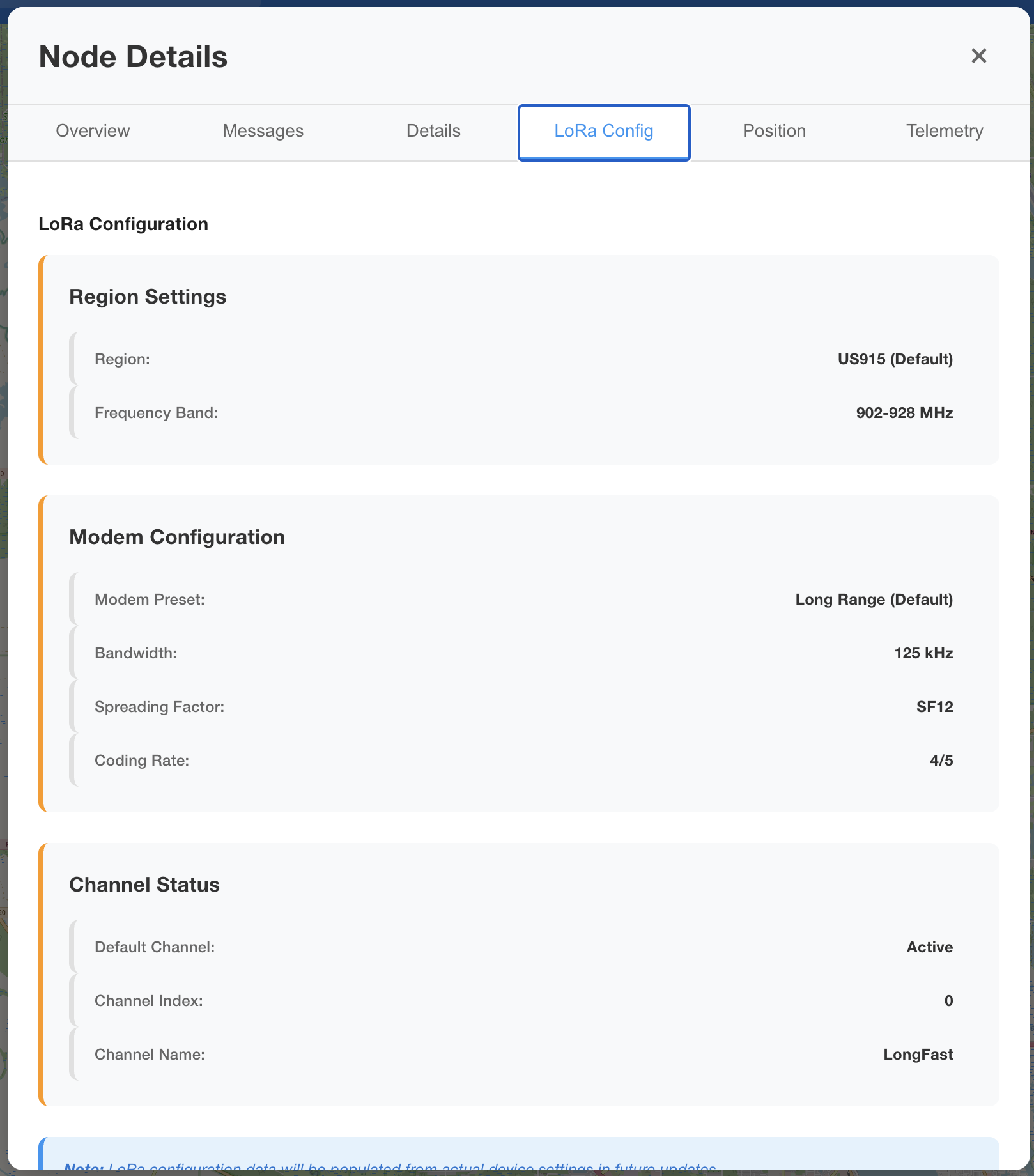
Monitor LoRa-specific settings including channel configuration, spreading factor, bandwidth, coding rate, and air time utilization for optimal radio performance.
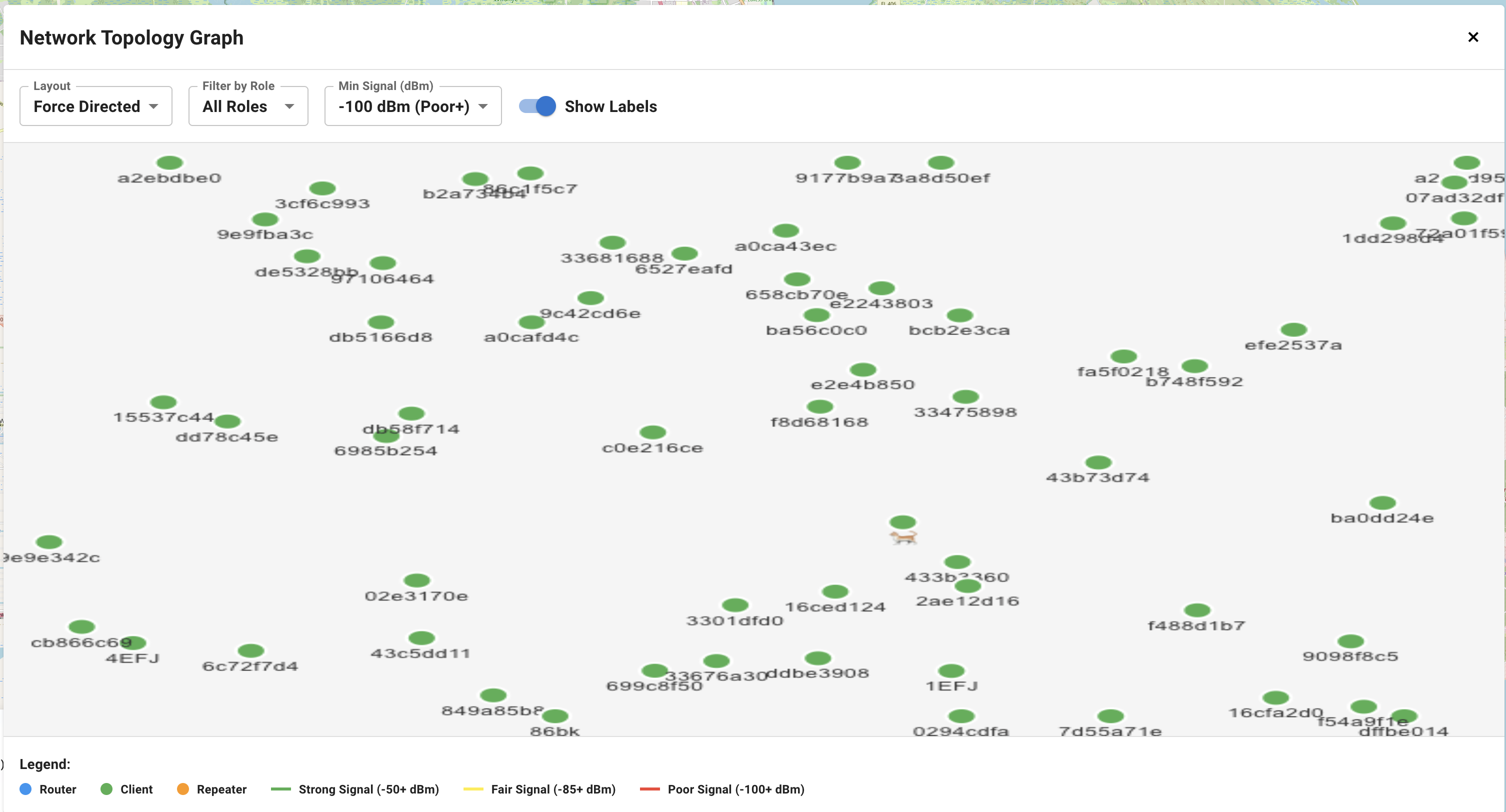
Visualize mesh connections with interactive topology graphs. Choose from force-directed, circular, or hierarchical layouts to identify network structure and bottlenecks.
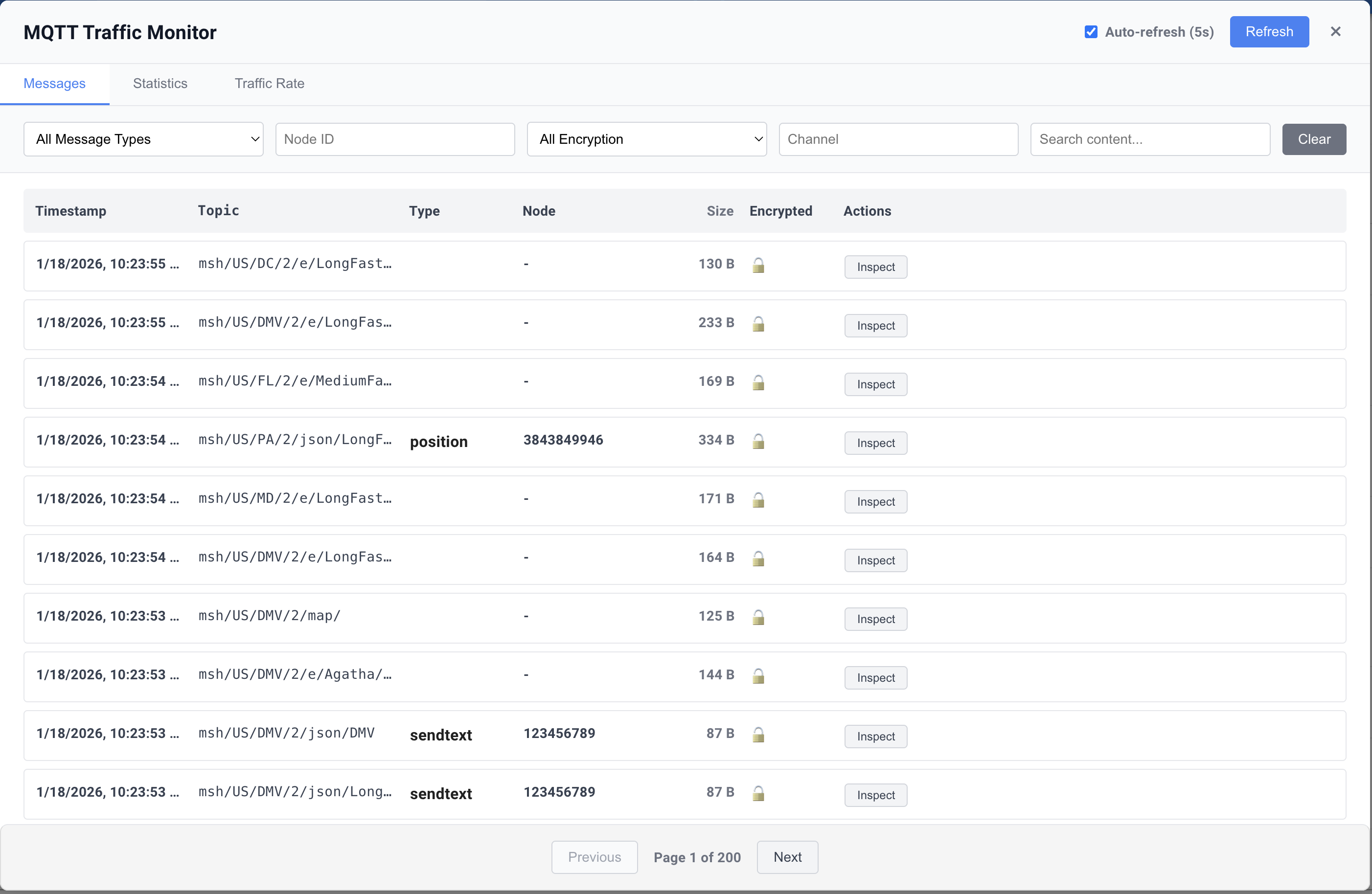
Track all MQTT messages in real-time with live streams, message type filtering, payload inspection, and connection status monitoring for complete network visibility.
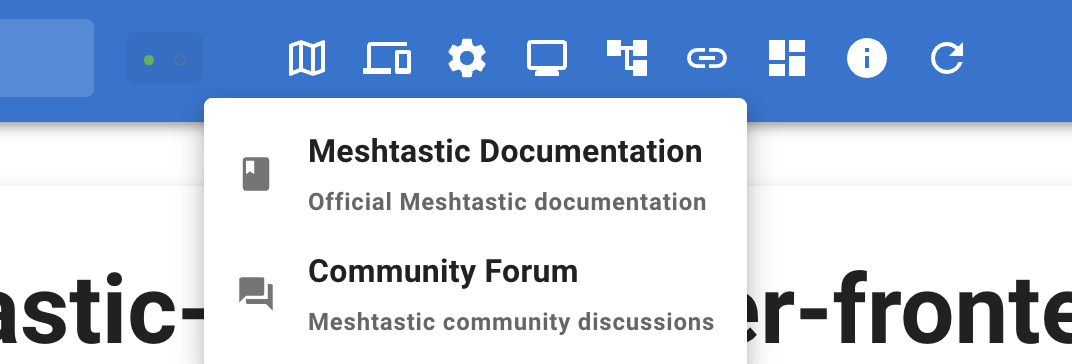
Add quick access links to external resources, organize by category with custom icons and labels, and streamline your workflow with personalized shortcuts.
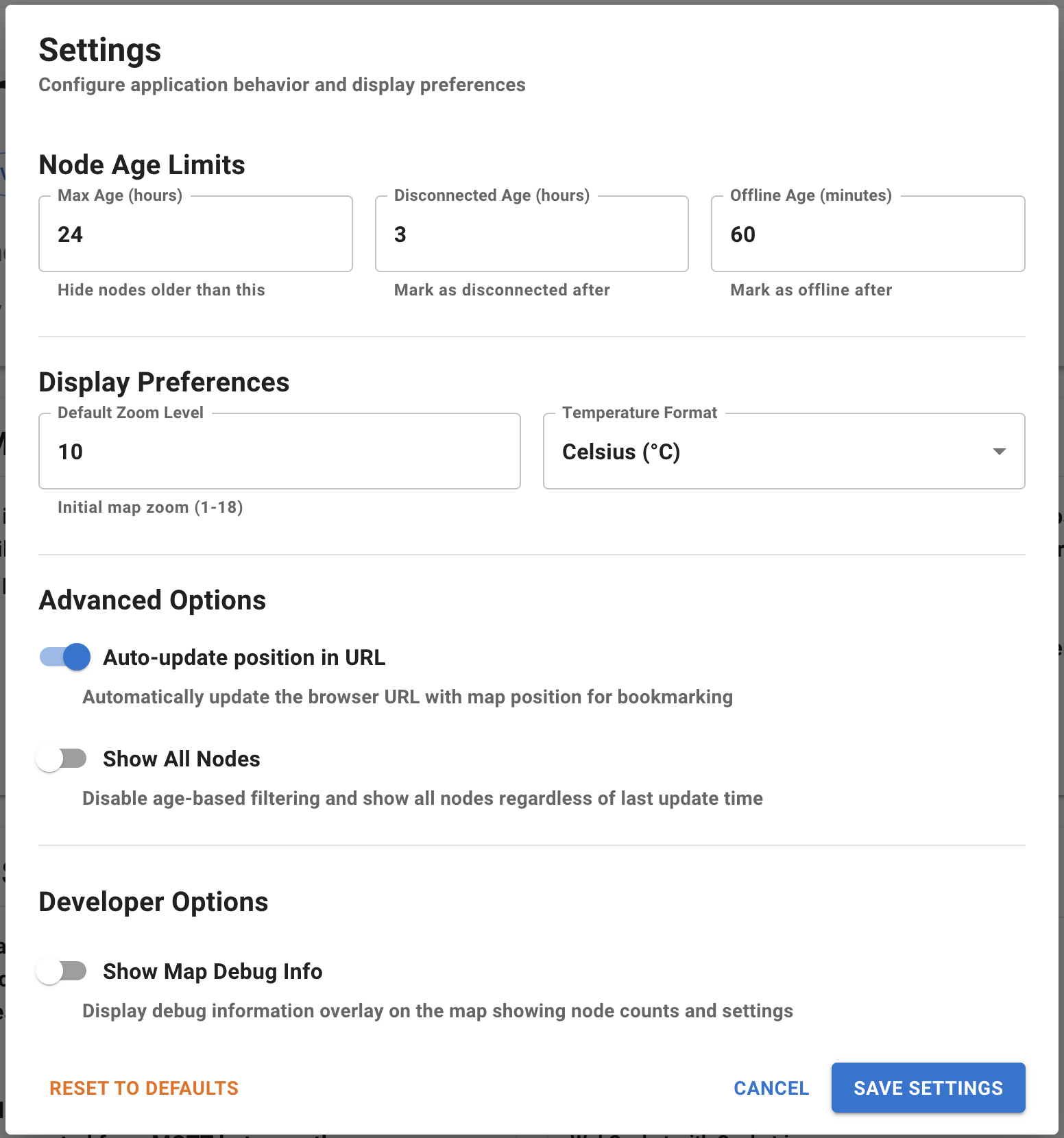
Personalize your experience with display preferences, theme selection, map defaults, notification settings, and data refresh intervals tailored to your needs.

Perform bulk operations on multiple nodes, export data, filter by status or hardware, and quickly navigate to node locations on the map with convenient action menus.
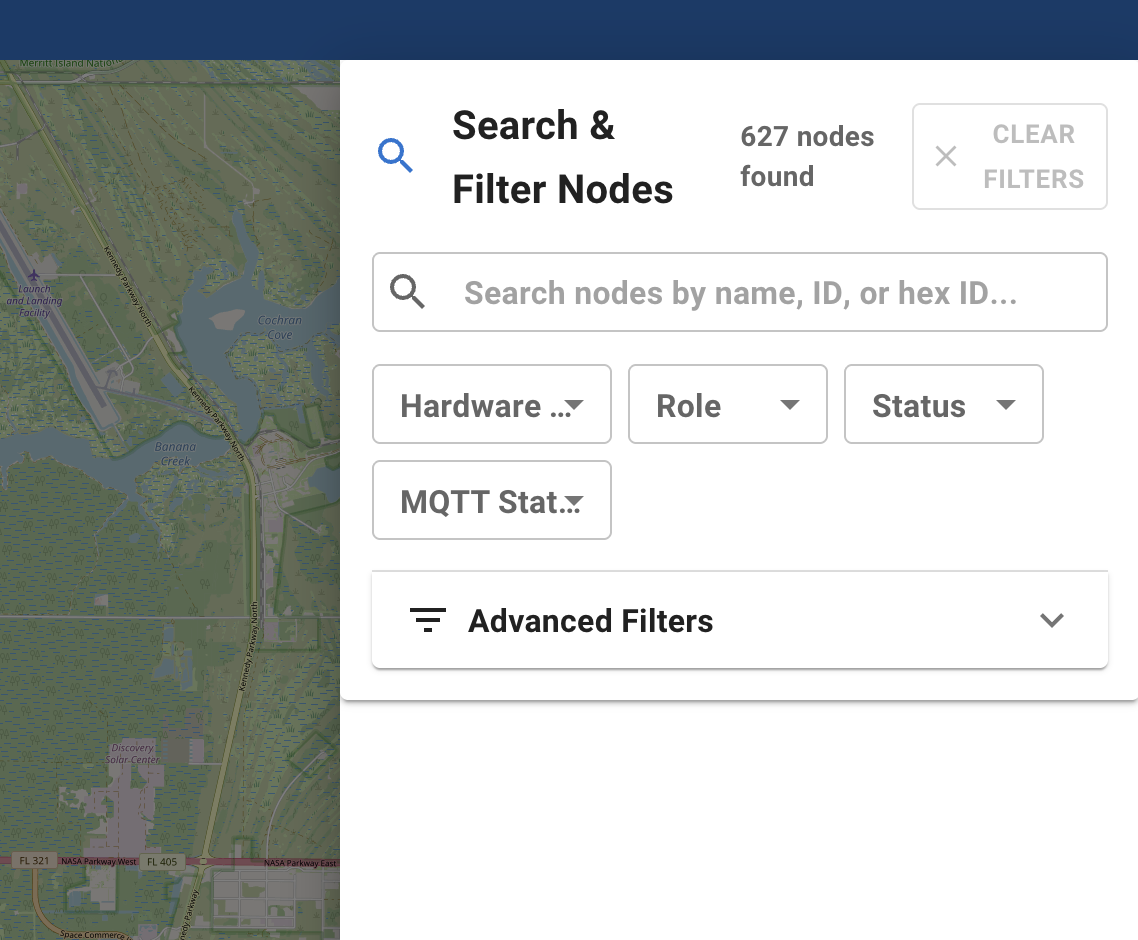
Quickly find specific nodes directly on the map with powerful search functionality. Filter by name, ID, or other attributes to focus on what matters most.
See your entire mesh network at a glance with live updates, interactive maps, and instant notifications when nodes join, leave, or experience issues.
Make data-driven decisions with comprehensive dashboards, trend analysis, and performance metrics that reveal exactly how your network is performing.
Monitor and manage your network from anywhere - desktop, tablet, or smartphone. Full offline support for field operations with PWA capabilities.
Connect to your MQTT broker and start monitoring immediately. No complex setup, no manual configuration files - just install and go.
Built for scale with support for multiple networks, role-based access, data retention policies, comprehensive API access, and production-grade security.
Free to use, modify, and distribute under GPL-3.0. Active community support, regular updates, and comprehensive documentation included.
Deploy Meshtastic Node Map today and gain unprecedented insight into your mesh network. Open source, easy to deploy, and packed with professional features.